Jepex is the all-in-one photo browser, editor, and film simulation recipe manager for SOOC photographers.

Shoot more. Edit less.

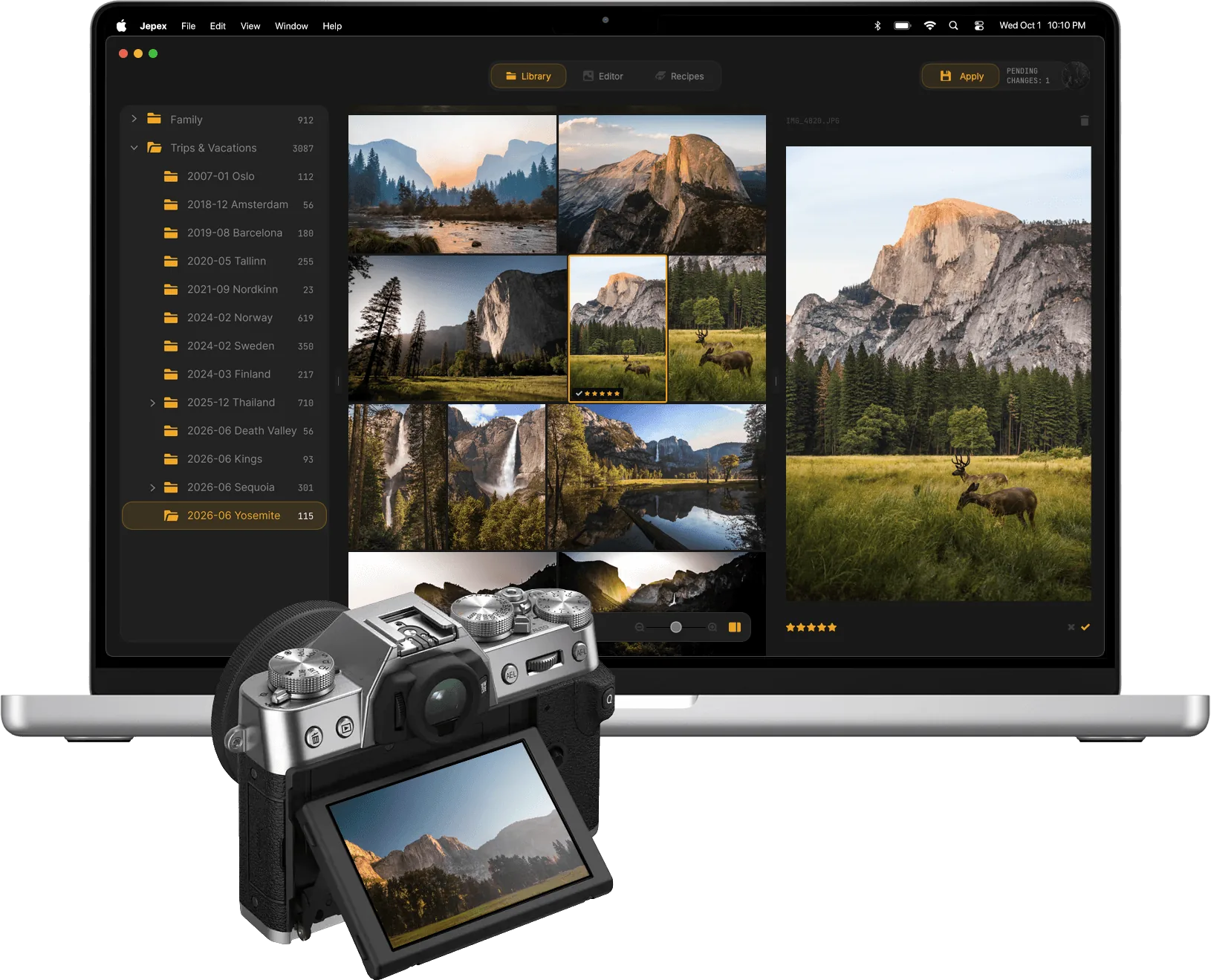
Jepex editor — photo browser with tone curve and filmstrip
What's inside

Photo browser. Editor. Recipe manager.

Sort, finish, plan — three tools, one workflow.

Library

Cull thousands of photos, fast.

Browse photos directly from the file system — no import, no catalog. Cull with star ratings and pick/reject flags. Keyboard-driven. Inspect EXIF, film simulation, and recipe data on any photo.

  • Multi-folder browsing — switch between them with one keystroke
  • Adaptive gallery grid that zooms with Cmd + and Cmd −
  • Star ratings and pick/reject flags for fast culling
  • Metadata Inspector with full EXIF, film simulation, and recipe data
  • Arrow-key navigation, drag-and-drop, and “Open With” from Finder
Jepex app interface
Editor

Edit JPEGs losslessly.

Fix a horizon, crop a little, finish the light. Small tweaks, saved losslessly — your camera’s EXIF and MakerNote stay exactly as they were.

  • Crop and straighten with Rule of Thirds, Golden Ratio, and Diagonal grid overlays
  • Light controls — exposure, contrast, highlights, shadows, whites, blacks
  • Color controls — temperature, tint, saturation, vibrance
  • Five-point tone curve and live RGB histogram
  • Heal blemishes with one click, with automatic patch matching
  • Optional border and film frame for sharing
  • Lossless JPEG save preserving every byte of EXIF and MakerNote
Jepex app interface
Recipes

Browse, match, and manage recipes.

Plan your next shoot. Browse a curated Featured Collection paired with reference scenes. Match the recipe used in any photo from its metadata. Compare side by side. Favorite to build your collection. Publish your own.

  • Featured Collection — curated recipes paired with reference scenes for true side-by-side comparison
  • Recipe matching reads your photo metadata and surfaces the closest fit in one click
  • Side-by-side compare in two, three, or four columns
  • Favorite recipes to build your personal collection
  • Publish your own recipes with creator credit
Jepex app interface
Camera support

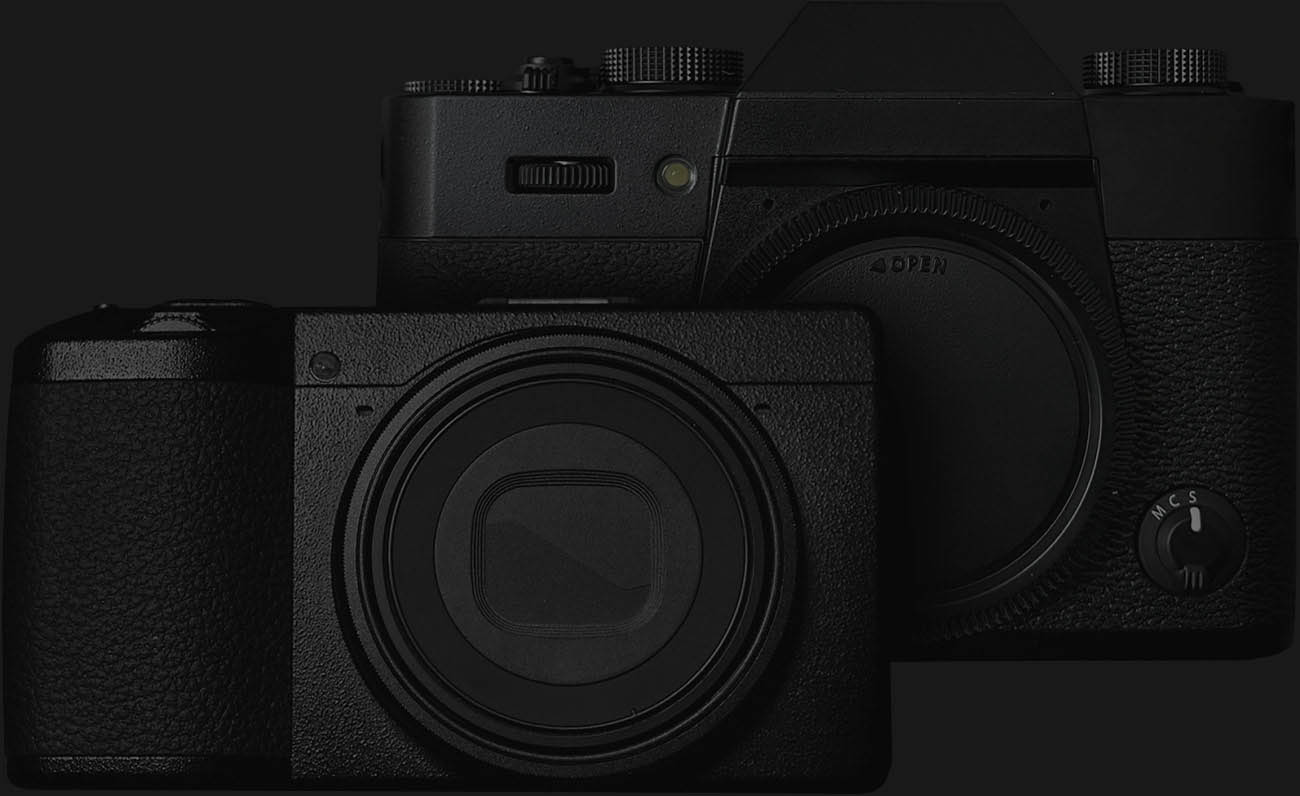
Fully supports Fujifilm and Ricoh.

Growing as the SOOC ecosystem grows — Sony Alpha next; Nikon, Canon, and others on the radar.

Roadmap

Native on Mac. Recipes on the web.

Native where it matters. The library and editor stay on your machine; recipes travel with you on the web.

  1. Now

    macOS app + web Recipes

    The Mac app ships the full workflow — library, editor, recipe manager — native, offline, no catalog. The web ships the recipe library, EXIF-to-recipe matching, and a per-recipe page anyone can dial into their camera. Both launch together.

  2. Next

    iPad

    The library and editor, native on iPad. Pencil-friendly crop and heal, pointer-friendly culling, the same files-on-disk model as the Mac.

  3. After iPad

    iOS

    Match recipes against your camera roll. Quick crop and light fixes for the JPEGs that go straight from camera to phone — finish on the spot, post without opening a laptop.

  4. After iOS

    Android

    Same app, native on Android. Toggle Android in the waitlist if you’d use it — that’s how we prioritize.

Requirements

Requires macOS 14 (Sonoma) or later.

Operating system macOS 14.0 (Sonoma) or later
Processor Apple Silicon or Intel
Disk space Approximately 50 MB
Internet Optional. Required only for the community recipe library and signing in to your account.
Pricing

Pick the plan that fits.

FREE

€0

Forever free. No card required.

  • Multi-folder library — cull, rate, organize
  • Browse recipes, view any in detail, compare side-by-side
  • 1 custom recipe, 3 favourites

STUDIO

€3.33 / month

billed annually · €39.99/yr

Mac editor + Recipes everywhere.

  • Everything in Recipes
  • Save edits — crop, light, heal, border, effects
  • Lossless JPEG with EXIF preserved
  • Upload recipes to Fuji cameras over USB
FAQ

Questions, briefly answered.

Why JPEG-only?

SOOC is making every choice at the shutter and trusting the camera. The JPEG is the photo. Jepex works on top: small adjustments (crop, light, color, heal), saved losslessly with EXIF and MakerNote intact.

Will RAW editing be added later?

By philosophy and by design, Jepex is built for SOOC photographers — RAW editing is a fundamentally different workflow. It’s not on our roadmap today. If community demand grows over time, we’ll revisit.

Recipes vs filters or presets — what’s the difference?

A filter or preset is a transformation applied after capture. A recipe is a set of in-camera parameters — film simulation, grain, color chrome, white balance, dynamic range, tone curve — that the camera renders before the JPEG is written.

Jepex catalogs and matches the latter. The community is sensitive to the distinction; we are too.

Do I need an account?

No. The full library, browsing community recipes, and trying every editor tool all work without an account. Sign in for Pro to save edits with full EXIF preservation, read full metadata, create and publish your own recipes, and favorite from the community.

When does the web app launch?

The web launches at the same time as macOS. It covers the recipe side of Jepex — browsing the community library, reading EXIF and recipe metadata from any JPEG you drop in, creating and publishing your own recipes. The library and editor stay native on macOS (and later iPad, iOS, Android) where the file-system and performance work properly.

When does iPad launch?

iPad is the next native build after macOS — the library and editor running on the same files-on-disk model, with Pencil-friendly crop and heal. Join the waitlist with iPad selected to be notified.

When does iOS launch?

iOS comes after iPad. Match recipes against your camera roll, quick crop and light fixes on JPEGs that move straight from camera to phone. Toggle iOS in the waitlist if you’d use it — that signal helps us prioritize.

Will there be Windows or Linux versions?

Demand-driven. Toggle them in the waitlist if you’d use them — the platform mix on the waitlist is exactly what we’ll use to prioritize after Android.

What cameras are supported?

Fully supported today: Fujifilm X (X-Trans I through V) and Ricoh GR III/IIIx/IV — full MakerNote and Image Control parsing. Sony Alpha (Creative Look) is in the works. Nikon, Canon, and other brands on the radar as the SOOC ecosystem grows.

Where do my photos live?

On your disk. Jepex reads photos from the folder you point it at, edits them in place, and never uploads anything. The library and editor work entirely offline — no catalog, no import, no copying anywhere. We don’t read your photo library or upload anything you didn’t explicitly publish.

Waitlist

Be first to know.

We’ll email you the moment Jepex is ready on the platforms you care about.

Notify me about

We email you only when your platform is ready, plus rare product updates. No marketing spam, no third-party sharing.